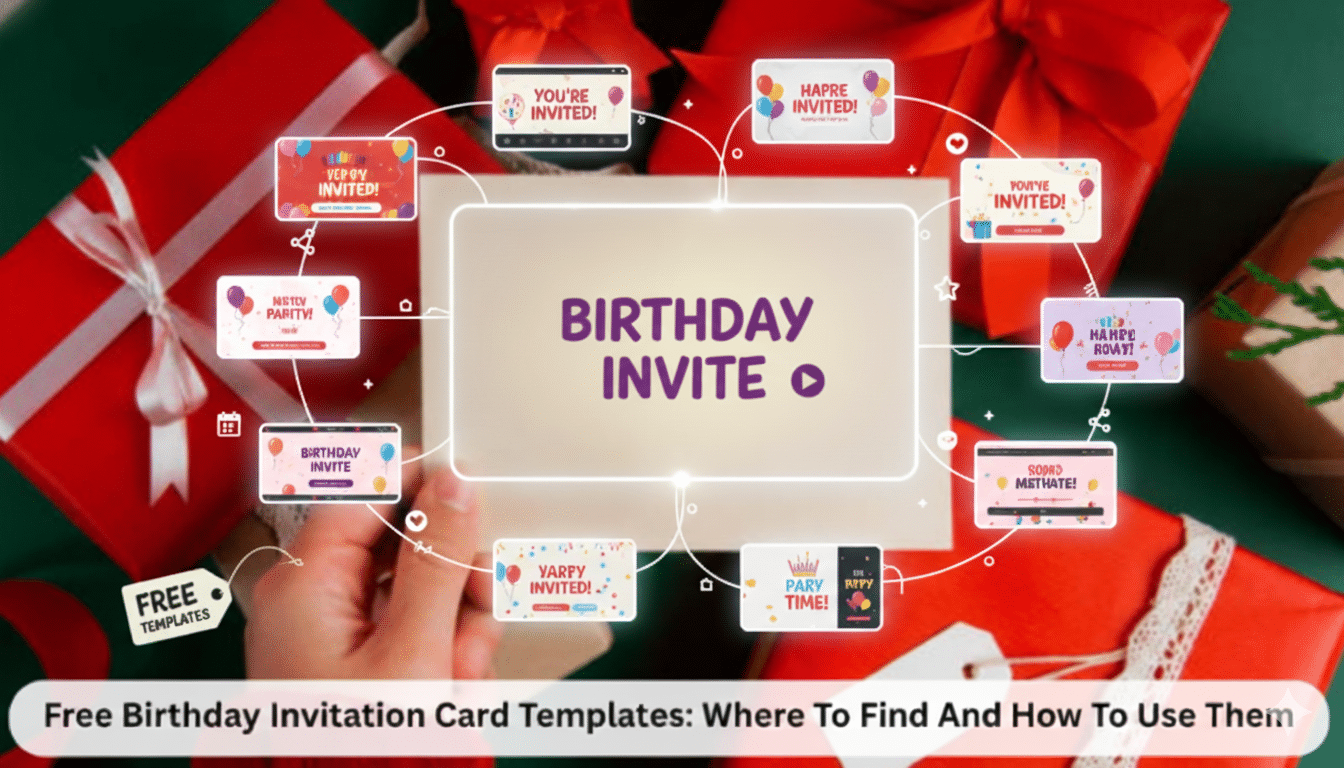
Free Birthday Invitation Card Templates: Where To Find And How To Use Them

Have you ever had a moment when you’re so excited about planning a birthday party, only to find out you have to send invites too?
Yes, at this point, you notice your excitement fading. You’re probably wondering if you’ll find free birthday invitation templates.
Perhaps you’ve spent the entire evening searching through several designs, hoping to see one that fits your vision. Or you’ve even tried designing from scratch, but they all end up looking worse than your aunt’s holiday sweater.
What do you do, then?
Here’s the thing: you don’t need a design certificate or all the money in the world to make good-looking invitations. This guide will take you through the process of finding free birthday invitation templates. We’ll also explore how to customize them to fit your vision and touch on tools like Promo AI that are changing the game today.
Why Digital Invitations Just Make Sense Now
Look, printed invitations had their moment. Yes, they were adorable. But let’s be real: who wants to deal with printers, envelopes, and stamps when they already have a million party minutiae to handle?
You can now make a lovely invitation on your phone, send it by email or WhatsApp, and even change it at the last minute without having to print 50 copies. You won’t have to worry about entering the wrong date, going to the post office, or wasting paper.
The best part of digital birthday invitation card templates is that they let you try new things.
Would you like to look into three different color schemes?
Go ahead.
You think a different font would be better?
Click Done.
There is a template for every event, from a fancy dinner for your mother’s 60th birthday to a party with dinosaurs for a six-year-old.
And now?
PromoAI and other AI-powered tools are taking this even further. For instance, you can change your design by saying, “Make this more elegant with gold tones” or “add some playful confetti.” It’s like having a friend who is a designer and knows what you want.
Digital invites are always getting better, while paper ones sit in a drawer, collecting dust. It’s like how we celebrate today, when people keep coming up with new ways to make essential events even more spectacular.

What Makes a Great Birthday Invitation Template?
A good invitation isn’t just pretty—it does a job. It establishes the tone for your celebration, gives guests the information they need, and (if done well) gets them psyched to go.
Here’s what makes “delete immediately” invites different from ones that people really save:
-
Visual Harmony That Doesn’t Hurt Your Eyes
The most outstanding designs don’t provide too much information in a single place and maintain consistent colors.
Are you planning a party for kids?
Pinks, yellows, and blues work well.
Planning a birthday party for an adult or a big event?
Blue, beige, and gold exude an air of refinement without stress.
-
Make It Easy to Read
Your guests should be able to easily find out the date, time, and place of the event after reading the invitation. Don’t use fancy typefaces that look great but are hard to read. Also, don’t put too much text in one paragraph.
-
Show Some Personality
You should make your invitation more personal. Funny? Classy? A little strange? Let your unique qualities shine through.
Most birthday invitation templates let you change the text, add icons, and adjust the background visuals. Use this to your advantage.
-
Easy Edits (No PhD Required)
You shouldn’t have to watch a three-hour course just to change the date. The primary goal of templates is to make things easier. This is significantly easier using PromoAI and other AI technologies. It will handle the technical complexities if you say what needs to be changed.
Once you know how to do these things—clear design, personality, adaptability, and clarity—you can create an invitation that looks professional and takes little time.
Where to Actually Find Good Free Templates
There are several free online birthday invitations online, but honestly? Most of them are either surprisingly hard to use or too generic. Instead of wasting so much time on poorly designed templates, check these platforms:
-
PromoAI
PromoAI designs to your preferences and provides templates to fill in. When you type in “jungle-themed first birthday” or “retro 90s birthday pool party,” a lot of choices show up right away.
Do you want things to be different?
For example, “Add glitter text” or “Make the background more pastel” will change automatically. It also suggests color and font combinations that work well together based on what you like.
It’s great because it’s like working with a designer who really listens. You are not merely filling in the blanks; you are making something new.
-
Canva
You probably already know this one. With a wide library of birthday invitation templates, Canva can help you design invitations for kids’ birthday celebrations, significant birthdays, informal get-togethers, and fancy dinners.
Choose a free template, upload your pictures, adjust the colors, and you’re done. You can share or download it right away. The best part is that you can learn how to use Canva in only five minutes, even if you’ve never designed anything before. It’s that simple.
-
Adobe Express (Used to Be Called Spark)
Adobe Express is more about looking slick and professional. This is an excellent option if you want your invitation to look more classy, for a work party or a 50th birthday. You can also include animations or short video clips in your digital invitation to make it more fun.
What’s striking about it is that the templates seem costly (in a friendly manner) without actually costing you a penny.
-
Greetings Island
Do you like the simplicity of digital invitations but also like the classiness of traditional ones?
Then, this one is for you. You can make and download your design, or print it the old-fashioned way if you want. Colors, photos, and fonts can all be quickly modified.
It’s excellent because it gives you options for both digital sharing and physical printing, which is helpful if you need both.
-
Template.net
This website offers thousands of birthday invitations template you can use with Google Docs, Word, and PowerPoint. If you need anything that works with office programs or prefer working offline, this is the place to go.
Why it’s fantastic: It’s great for event planners and anyone else who wants designs that can be used again and again.
-
Fotor
If you want the pictures on your invitation to be the primary focus, Fotor’s layouts work great. It also has a built-in photo editor that lets you edit photos before adding them to your design. It’s unique because the editing tools help you a lot if you often use photographs in your invitations.
-
Piktochart
Piktochart is most known for creating infographics, but it also has simple, beautiful birthday invite design ideas. Suitable for designs that are tidy, orderly, and don’t have a lot of extra stuff on them.
What makes it great: People who desire a more organized, forward-thinking style will love it.
There are so many great choices that there’s no reason to pick anything boring or generic. When AI is involved, such as with PromoAI, you’re not only picking a template. You’re really crafting something that seems like you.
How to Use These Templates (Step by Step)
Okay, you’ve found the platforms. Now, let’s actually make your invitation. This doesn’t have to be complicated—here’s how to do it:
Step 1: Pick Your Platform
Do what makes you feel good first. If you want something simple, try Greetings Island or Canva.
Would you like something more innovative that can figure out what you like?
Give PromoAI a try; it will learn what you want over time.
Step 2: Find a Template You Don’t Hate
Once you’re in, take a look around at what’s available. Instead of picking the first design you see, look through all of them and visualize each one at your real event. To narrow down your search, use the category selection function on most websites.
For example, you can choose between kids, adults, surprise parties, and milestone birthdays.
Here’s a tip: If you type in your theme (like “bohemian garden party”), PromoAI will generate matching designs. Saves a ton of scrolling time.
Step 3: Make It Yours
Fill in the event name, date, time, location, and RSVP information. Keep the language short and friendly; no one wants to read a book on an invitation.
Experiment with different colors and fonts, but don’t go too far. In some cases, less is more.
Not sure what looks good?
Your tool can suggest options like “bolder text,” “gold accent,” or “softer tones.”
Step 4: Add Personal Touches
This is where you can really make it yours. There should be a favorite picture, an inside joke, or a fun phrase, such as “Cake, laughter, and memories await!”
Feeling creative?
Some platforms allow you to add GIFs, symbols, or short animations. PromoAI can automatically animate things if you like a modern, dynamic look.
Step 5: Double-Check Everything
Look over everything before you let the public see it. Make sure the colors and spelling are correct, and that everything is in the right place. Once you’re happy with your design, export it. Most tools let you save your work as a JPEG, PNG, or PDF.
Going digital?
Share it right away on WhatsApp, email, or social media.
Printing it?
To avoid blurry photographs, make sure to export in high resolution.
Bonus: Common Mistakes to Avoid
- Using five distinct typefaces (two is plenty).
- Not remembering to put in the real address or RSVP info.
- Picking a picture that looks great on your screen but prints out as a tangled mess
It’s not just about finishing quickly; it’s also about finishing well. To do this, you need clear steps and a tool like PromoAI that makes things simpler, not harder. The goal is to enjoy the procedure rather than dislike it.
Where Birthday Invitations Are Heading Next
Birthday invites are constantly changing, much like the rest of the design world. Here is what is in the works:
-
AI That Really Gets You
We are getting closer to fully personalized invites thanks to AI that automatically changes to fit your tone, subject, and style. PromoAI is already doing part of this by making designs that suit your style. AI will soon come up with event taglines and terms that match your personality, too.
-
Invites That Move
Static designs are getting old, while animated invites are becoming increasingly popular. When you open them, the names light up, the candles burn, and the confetti falls. These simple things make people feel the thrill before it even starts.
-
AR and Virtual Reality
Think about how cool it would be if your guests could scan your invitation and see a virtual dessert or a 3D version of your party theme in their room. This technology sounds like it’s from the future, but it’s closer than you think. It hasn’t caught on yet, but it will.
-
Built-In Social Media Features
Future invitations will probably connect seamlessly with Instagram or TikTok, letting you share countdowns, teasers, or live RSVP updates. Your birthday becomes a social event that gets people excited for days or weeks, not just on the day itself.
-
Digital but Eco-Conscious
Digital designs will keep improving as more people stop using paper. Expect platforms to blend style and sustainability while making templates as eco-friendly as possible.
The bottom line?
The future lies at the intersection of creativity and technology. PromoAI and similar technologies are getting there, enabling you to develop faster and smarter without losing the essential human touch.
Quick Tips to Make Your Invitation Memorable
Before you send or print your invitation, here are some recommendations to make it go from “fine” to “actually impressive”:
- Keep it Focused: The only things that should stand out are the name, date, time, and RSVP. The rest is simply noise.
- Make Space for Everything: Don’t put words and pictures together. Let everything breathe.
- Keep Things the Same: Ensure the design of your invitation aligns with the theme of your celebration. Rustic party? Rustic invite. Glam event? Glam design.
- Use Good Pictures: A blurry picture will mar an otherwise excellent design.
- Let AI Help: PromoAI’s design intelligence can improve your invitation in just a few seconds, delivering professional results without the exorbitant expense.
Final Thoughts
Planning a birthday party should be joyful, not stressful. You can throw a great party without having to learn Photoshop or pull your hair out.
These free online birthday templates give you the best of both worlds: a structure that saves you time and the freedom to make something new. Digital invites are no longer only convenient; they are a must-have for the event. They reflect your story, character, and event.
Thanks to services like PromoAI, the whole thing is now as easy as texting a friend. You don’t have to accept anything that isn’t engaging or generic.
So go ahead and create, share, and discover. When you send out your next birthday invitation, it’s not just a note in someone’s mailbox. It’s your celebration’s first impression. Make it count.


