
Aspect Ratio: Everything You Need To Know

Key Takeaways
- Aspect Ratios Shape Visibility: Choosing the right ratio ensures your images and videos display correctly without awkward cropping or distortion.
- Right Dimensions Boost Engagement: Platform-specific sizes help your content appear sharper, cleaner, and more professional.
- Vertical Formats Dominate: The 9:16 ratio leads modern content consumption, especially on mobile-first platforms.
- Resolution Protects Quality: High-resolution uploads maintain clarity even after social media compression.
- Consistency Strengthens Branding: Using uniform sizes and styles across platforms enhances recognition and user trust.
Have you encountered the term aspect ratio or the video aspect ratio when creating content in your business, yet did not understand its meaning?
You are not alone. But it’s time to change that. In this article, we explore the importance of understanding different social media aspect ratio requirements, as well as how your video’s final format affects how your photos and videos appear across various platforms.
We will also cover essential Instagram story dimensions, Facebook post size, and YouTube profile picture size requirements, along with tips on how to easily change aspect ratios for your videos. We will take a closer look at Instagram, Facebook, YouTube, and other major social media platforms.
What Is Aspect Ratio?
Aspect ratio is the proportion between the width and height of a picture or a video frame. In simple terms, it determines what your content will be, be it horizontal, vertical, or square.
For example, a square image has an aspect ratio of 1:1. Its resolution may be 500 x 500, 800 x 800, or 1200 x 1200, yet the aspect ratio is the same. This implies that a small picture can be of the same aspect ratio as a very large picture.
Take an example of a Facebook profile picture and an Instagram feed post: one of them can be lower in resolution than the other, and both of them are 1:1 aspect ratio and square shape. This knowledge will give you an idea of how to make sure that your content is shown properly on various platforms.
Understanding Aspect Ratios
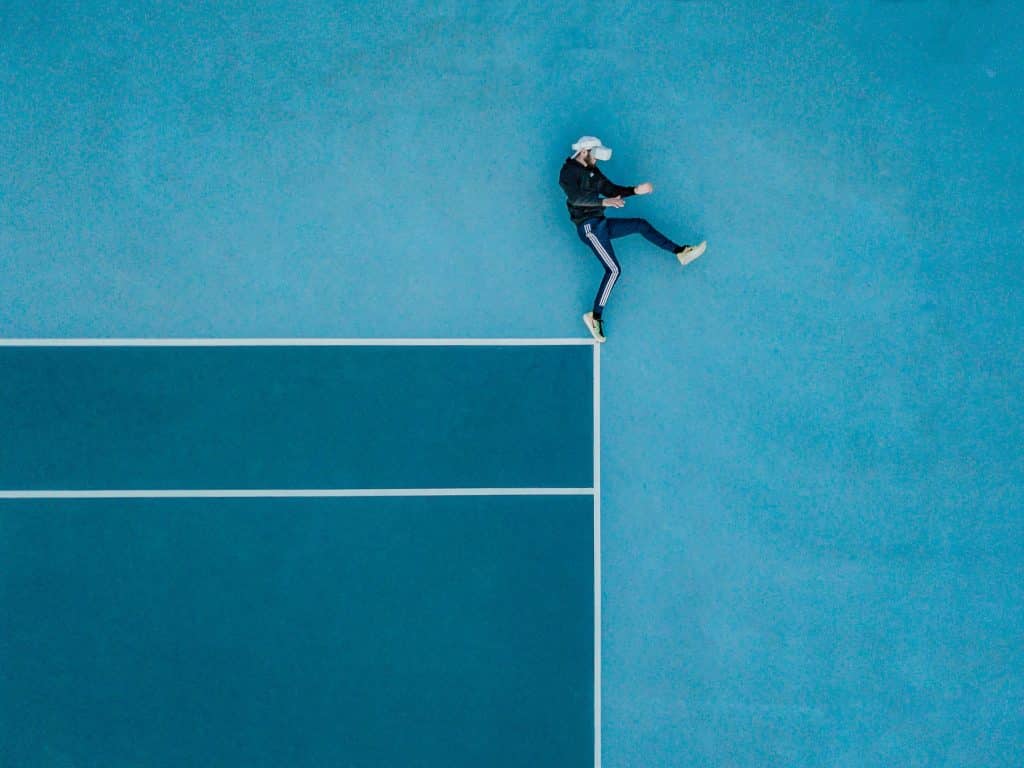
Consider the aspect ratio as a professional means of characterizing the form of an image or a video, as a picture frame that exists in various formats. Aspect ratios may not sound like an easy calculation, but it is actually very straightforward; in reality, it is the shape your content takes on a screen.
Learning aspect ratios is vital to creating content on the Internet. Without it, your images and videos can appear stretched, squished, or distorted. If your videos ever look off or don’t display properly, it’s often because the wrong aspect ratio was used.
Understanding the distinction between 1:1, 16:9, and 4:3 ratios and when to use which will make your content look professional and appear fitting on any platform.
Why Is Video Aspect Ratio Important?
As we discussed above, the social media aspect ratio is important because it directly influences how your photos and videos will look when shared across different platforms. Understanding the different aspect ratios makes sharing on various social media sites easier and ensures your content visibility is optimized.
Here are a few key benefits of using the right aspect ratio for your content.
-
Avoids Image or Video Distortion
It is crucial to understand the aspect ratio when showcasing a specific item or subject.
Have you ever searched on a photo site for a particular theme or topic and found the perfect image, only to share it on Instagram and notice it didn’t fit?
The aspect ratio affects how we showcase our subject material, whether you want a specific image or shot centered in the frame or in the background.
For example, you might have an image or video of a headshot. When uploaded to Instagram, it could appear too large or have black bars surrounding it because the image’s aspect ratio doesn’t match the platform’s recommended Instagram story dimensions or Instagram post sizes.
The solution is to reformat the image or video to Instagram’s standard square 1:1 shape, or adjust it according to the social media image requirements for Facebook, Twitter, or LinkedIn.
-
Has an Impact on the Design
Aspect ratio and design go hand in hand. The ratio determines how and where you add text to your video or captions to a photo. This makes a big difference when creating content for social media.
If you want to combine an image with video footage for a promotional video, the image might have a different aspect ratio than the video. When publishing the video, the image could appear distorted or misaligned.
This is simple to fix by resizing your image. With the right tool, you can effortlessly adjust the Instagram image size, Facebook post size, or Twitter banner size to align with the video, keeping your content visually consistent.
-
Prevents Letterboxes
Letterboxes are the black bars seen on older TVs when movies were shot in a different aspect ratio. They can also appear on mobile devices if the video uploaded doesn’t match the platform’s social media aspect ratio. Some people know these as cinematic bars. If your content appears with letterboxes, it means the aspect ratio needs adjustment.
Most televisions today have a 16:9 horizontal screen, while mobile phones use a 9:16 vertical screen. Social media platforms take these ratios into account. For example, when Instagram launched in 2012, users could only upload photos in a 1:1 or square format. Users wanting landscape or portrait photos had to crop or use other apps to adjust them.
Today, major platforms support multiple Instagram sizes, social media images, and Facebook post sizes, but black bars or distorted images can still occur. The black bars known as letterboxes ensure footage retains its original shape even if the screen differs.
Think of the black bars on the top and bottom of a widescreen movie on a TV. Using the correct social media aspect ratio prevents these letterbox issues and ensures your content appears professional across all platforms.
Aspect Ratio and Video Resolution

Aspect ratio and resolution both refer to the frame size and are often confused with each other. Whether you’re an avid video creator or a beginner, understanding these basics is essential for uploading content to the web or social media.
The resolution of an image is the total number of pixels displayed on your screen. Resolution measures how many pixels an image contains. To get the resolution, multiply the width by the height. Higher resolution means a more defined image and a larger file size in terms of megabytes or gigabytes.
For example, you could have two videos, both filmed in full HD, that have the same resolution (number of pixels) but different social media aspect ratios. One video might be horizontal 16:9, and the other vertical 9:16, but both can be 1920 x 1080 pixels.
This is important when considering Instagram story dimensions, Instagram post sizes, Facebook post size, or other social media images, because the same resolution may display differently depending on the platform’s aspect ratio requirements.
Practical Social Media Examples
Let’s take this further. Suppose you have one image you want to share on multiple platforms, such as Facebook Stories and Instagram. The best shape for Facebook Stories is vertical 9:16 because most users view content on mobile devices. In contrast, Instagram often uses a square 1:1 social media aspect ratio for posts.
Even if your image resolution is full HD (1920 x 1080), you can adjust the aspect ratio to fit each platform. The same image can also be reformatted for Pinterest, which generally requires a 2:3 Pinterest aspect ratio for optimal display.
Using the correct Instagram story dimensions, Instagram post sizes, and social media images ensures your content appears sharp, professional, and correctly formatted across platforms.
What does this mean in practice?
Aspect ratio and resolution go hand in hand, and mastering both is essential for effective video production. Ensuring the right combination guarantees your videos and images display correctly, whether on Instagram, Facebook, Pinterest, or other social media platforms.
How Aspect Ratio Can Affect Your Viewing Experience
We have already explained the difference between aspect ratio and resolution. Now we understand that we can have two videos with the exact same high-quality resolution but different social media aspect ratios due to the screen size on different devices.
Thus, the primary issue with aspect ratio is a distorted image or the appearance of black bars on either side when viewing Instagram posts, Facebook videos, or other social media images.
Matching Aspect Ratios to Video Resolution
Today, the most common video resolutions are HD, full HD, 4K, and 8K. Distorted videos and black bars in a video happen when the video aspect ratio and the screen size and/or orientation don’t match.
Also, if the video resolution is lower than the screen resolution, you could also get bars at the bottom. In any case, no matter the video resolution, you will always be restricted to the maximum resolution of the viewing screen.
For instance, a video filmed in 1080p will still only give you 1080p resolution, even if you have an 8K monitor with a high resolution. Conversely, if your monitor is 1080p and you have a video filmed in 4K, the video resolution will still be 1080p when it plays.
It’s possible to change the video resolution if you find it necessary. Some excellent video converters can help with video formatting. However, it’s as easy as editing the social media aspect ratio to the desired size for the viewing device most of the time. A good online video maker like Promo.com will do the trick in a few simple steps.
Popular Aspect Ratios
Among the most popular social media platforms, the most common video and image aspect ratios are 16:9, 4:3, and 1:1. Aspect ratios are critical for web content and social media marketing because different images and videos require specific shapes for different uses, e.g., desktop vs. mobile, blog vs. Facebook, or Instagram vs. YouTube.
It is important to note that most social media platforms allow multiple aspect ratios, but not all perform well across different placements. For example, a Facebook banner ad has a different shape than a Facebook Story. Each platform has best practices for content sizes and aspect ratios, which content creators must follow to ensure optimal display.
Using the correct social media aspect ratios ensures your images and videos appear as intended without distortion, cropping, or resolution loss. Let’s take a closer look at the most common ratio types:
-
9:16 Aspect Ratio
The 9:16 vertical video aspect ratio is one of the most popular on social media. Whether it’s Facebook Stories, Instagram Stories, or TikTok videos, this vertical shape dominates because most users view content on smartphones.
-
1:1 Aspect Ratio
A 1:1 aspect ratio is a square. The image’s width and height are equal. Common 1:1 sizes include an 8 x 8 inch photo, a 1080 x 1080 pixel image, or social media profile picture templates. This ratio is also widely used for mobile screens and print photographs.
-
16:9 Aspect Ratio
A 16:9 ratio is commonly used for widescreen TVs, presentation slides, and computer monitors. It replaced the older 4:3 ratio as screens evolved into slimmer, rectangular devices. Common video resolutions in this ratio are 1920 x 1080 pixels and 1280 x 720 pixels. Most social media platforms support this widescreen format.
-
4:3 Aspect Ratio
The 4:3 traditional aspect ratio is gradually fading but still exists in some devices like GoPros and action cameras. Common resolutions range from 640 x 480 pixels up to 1600 x 1200 pixels. As technology advances, the 4:3 ratio is increasingly replaced by 1:1.
Which Aspect Ratio Should You Use?
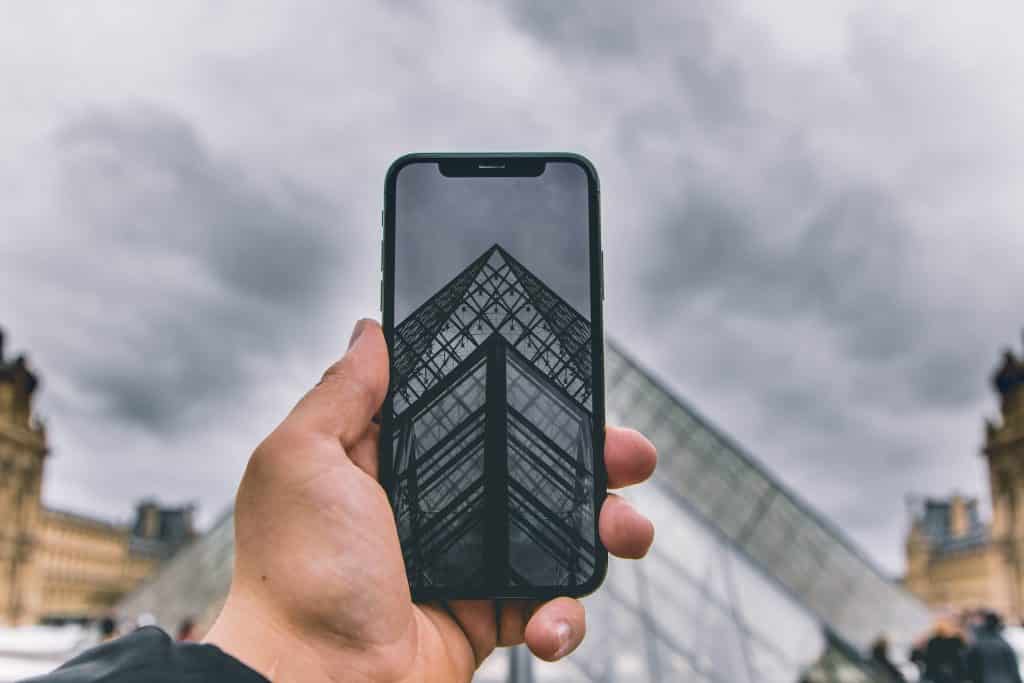
It is essential to determine what is driving your project and message to determine which photo or video aspect ratio to use. When you are going to post your content on various social media platforms, you must decide on the aspect of your video beforehand.
The most important question one would want to ask themselves is: “What platform am I intending to use this content for, and in what format?” Your answer will guide whether you use a vertical 9:16 ratio for Stories, a square 1:1 for feed posts, or a widescreen 16:9 for YouTube and Facebook videos.
The delivery of content on social media is done by selecting the appropriate aspect ratio that would make your material look good and capture the attention of the audience.
Using Different Aspect Ratios in the Same Video
Sometimes, you may want to combine multiple clips with different aspect ratios or video resolutions into a single project. This is possible with a reliable video editor or video maker. The software can automatically add black bars or padding to make the clips fit together seamlessly.
However, it’s important to note that when you render the final video, it will have a single fixed resolution and aspect ratio. Choosing the correct final aspect ratio ensures your combined content displays properly on your intended social media platform or viewing device.
Aspect Ratio & Smartphones
Today, vertical video is undeniably on the rise. With the surge in video viewing on smartphones and social media platforms, video aspect ratios have increasingly shifted to vertical formats. Instagram’s standard square 1:1 ratio works well for close-ups, but it cannot capture the wide panoramic shots modern cameras allow.
The popularity of mobile phones has driven the 9:16 vertical aspect ratio into broader acceptance. Many creators now produce vertical short films and videos for social media marketing, business promotion, and educational content. Using the right video aspect ratio ensures your content is optimized for mobile viewing and engages audiences effectively.
How to Change Aspect Ratio
Today, there are many platforms that allow creators to change video aspect ratios easily using video resizing tools. Figuring out the right aspect ratio for your content is simpler than it may seem, but understanding how to adjust it is crucial for optimal social media engagement.
One of the best ways to change the aspect ratio for any platform is by using online video makers and image editing tools. It’s also helpful to store all your brand’s video and image assets in one place, accessible directly from your browser.
Whether you need to change a video shape ratio or an image aspect ratio, tools like Promo.com make it easy and efficient, while keeping your content organized. To understand your options and the importance of aspect ratios, let’s explore the ratio requirements for each of the most popular social media platforms.
The Best YouTube Video Aspect Ratio
YouTube currently has over 2.53 billion monthly active users, making it second only to Facebook in global reach. This makes YouTube an excellent platform to expand your audience and grow your online presence.
Uploading high-quality videos is crucial for engagement. Poorly filmed or incorrectly formatted videos can reduce viewer retention, especially with billions of other videos competing for attention. Therefore, understanding YouTube video aspect ratio helps you correctly format your footage so it appears exactly as intended.
YouTube supports uploading videos of various resolutions, from 240p to 4K, but resolution alone isn’t enough. You must also consider your video’s length, size, and aspect ratio to optimize viewing on the platform.
The Proper YouTube Aspect Ratios
The standard YouTube aspect ratio is 16:9, with a maximum video size of 256GB or 12 hours in length (for verified accounts). While 16:9 is the default, other aspect ratios, such as 4:3, are supported. If you upload a different ratio, YouTube automatically adds black bars (letterboxes) to preserve the original shape.
YouTube Short Aspect Ratio
YouTube Shorts are YouTube’s solution for short-form vertical videos, similar to TikTok.
- Aspect ratio: 9:16 (vertical)
- Maximum length: 1 minute
- Mobile-focused: fills the entire screen on phones
- Can be multiple 15-second clips combined or one continuous video
- Requires hashtag #YouTubeShorts to appear in Shorts feed
YouTube Shorts are an effective way to promote content, boost engagement, and capture attention quickly.
YouTube Story Aspect Ratio
YouTube Stories (previously YouTube Reels) are slightly different from Shorts:
- Aspect ratio: 9:16 (vertical)
- Length: up to 15 seconds
- Viewed on mobile devices within the creator’s channel
- Available only for channels with 10,000+ subscribers (currently in beta)
- Expire after seven days unless saved
Stories let you create short, engaging content that disappears quickly, encouraging repeated visits to your channel.
Changing YouTube Video Aspect Ratios
YouTube allows you to upload videos in various aspect ratios and automatically adjusts playback depending on the device and screen size. The player scales vertical, square, or horizontal videos to fit the viewer’s screen.
You can also change video resolution manually:
- On Desktop: Click the Settings gear icon → Quality → select resolution
- On Mobile: Tap the three dots → Quality → select resolution
YouTube Aspect Ratio FAQ
- What’s the Best YouTube Aspect Ratio for Mobile?
The YouTube app automatically adjusts the player to the video’s aspect ratio, filling the screen for vertical, square, or horizontal videos.
- Can I Upload a Different Aspect Ratio Other than 16:9 on YouTube?
Yes. While 16:9 is standard, YouTube automatically adjusts other aspect ratios during playback. Editing the aspect ratio for YouTube isn’t required, but you might want to adjust it for video quality on other social platforms.
Instagram Aspect Ratio
With Instagram Reels, for example, it’s important to use the recommended Instagram formats and sizes. Instagram typically compresses videos and photos during upload, so using the optimal resolution ensures your video quality remains high during the compression process. If not, our video compressor is an easy way to maintain quality control for your videos.
The Instagram aspect ratio supports three standard formats: 16:9 widescreen, 4:5 portrait, or 1:1 square ratio.
All sizes support a video resolution range of 1080p to 1920p, but if your post size exceeds Instagram’s guidelines, the platform will automatically adjust your video size.
There are several ways to post on Instagram, but they all use one of the three standard aspect ratios.
How to Change Instagram Aspect Ratio
If your video is longer than Instagram allows or doesn’t match the proper aspect ratio, the platform may trim or crop your footage. If the trim or crop positions are not ideal, you can fix this easily with an online video trimmer or cutter.
You can upload your video and use a video maker to precisely trim the footage you want to keep and apply the correct aspect ratio. Selecting key parts of your footage and using the right aspect ratio helps boost engagement, as it gives you control over how your content appears.
Tools like an Instagram Video Maker also let you use professional stock videos and images royalty-free, add text and music, and ensure your video is always shared in the right size.
Instagram Aspect Ratio FAQ
- What is the largest file size allowed on Instagram?
Instagram video files can be up to 4GB. Regular post videos can be 60 seconds long, but longer videos can be trimmed using a good video maker. You can also reduce the video file size with an online compressor. Instagram Stories allow up to 15 seconds, and live streams can go up to 60 minutes.
- Are 1920 x 1080 files okay on Instagram?
Yes. Instagram supports 16:9 widescreen, 4:5 portrait, or 1:1 square formats. This means you can upload videos at 1920 x 1080, 1080 x 1350, or 1080 x 1080. Keep in mind, Instagram may adjust your video size if it exceeds time guidelines. For trimming or resizing, a video maker or Instagram Ad Maker can auto-adjust your video to the correct size.
TikTok Aspect Ratio
Among social media platforms today, TikTok is one of the newest and fastest-growing! In 2019, TikTok was the third most downloaded app globally. For video content marketing, it has become extremely popular, and small businesses are leveraging it to reach wider audiences.
TikTok videos are highly engaging, but correct formatting is essential to create videos that capture attention. Initially, TikTok videos were 15 seconds long, although now the platform allows videos up to 60 seconds when recorded directly in the app.
Videos created on external platforms can be longer than 60 seconds. While TikTok offers a native video recorder, more advanced online TikTok editors are available to help increase engagement, add branding, or access professional images and video libraries.
What Is TikTok’s Aspect Ratio?
TikTok is designed for smartphone viewing, so the optimal aspect ratio is 9:16 vertical, with a 1080 x 1920p resolution. A 1:1 square ratio is also possible, but the video will not fill the full screen, which is not ideal for engagement.
Additionally, video file size limits are 287.6 MB on iOS and 72 MB on Android, but for TikTok ads, you can upload files up to 500 MB.
Changing TikTok Video Aspect Ratio
A 9:16 is the TikTok aspect ratio, which ensures your content fills the entire mobile screen. If your video was recorded in landscape mode, you may see black bars on the top and bottom. These can be easily removed by editing the video to fit the 9:16 vertical format, ensuring a professional and engaging final result.
Facebook Aspect Ratio
Facebook has one of the most advanced advertising systems among social networks. Currently, there are over 8 million active advertisers worldwide using Facebook. Globally, many brands have discovered that video advertising is highly effective in attracting new audiences and generating leads, and they are leveraging it through Facebook videos.
Facebook supports videos in different aspect ratios, including 4:5, 2:3, 16:9, and 9:16. For example, Facebook Feed and Carousel use a 1:1 square ratio, while Facebook Stories use a 9:16 vertical ratio. Using the correct aspect ratio for each type of post or ad can greatly affect your post’s performance, especially with the platform’s many advertising options.
When designing ads, it is essential to meet Facebook’s recommended aspect ratio sizes to ensure your video or image stands out and engages your audience. Both video and image ads have specific size and ratio specifications that must be followed for optimal results.
Facebook Aspect Ratio Specs
Knowing the correct aspect ratio for each type of Facebook post is crucial. Facebook has detailed specifications for every advertising category, including recommended sizes for both videos and images. Using these specifications ensures your content displays correctly across all placements, from Feeds to Stories.
Changing Facebook Aspect Ratios
Facebook provides tools for ad creation and media editing, including cropping images and videos to the proper aspect ratio for different placements. When uploading media, Facebook often automatically applies the recommended ratio and crops content to fit Feeds, Stories, or other placement groups.
If you prefer more control, video maker tools like Promo.com allow you to adjust and trim your video aspect ratio with just a few clicks. Our Video Ad Maker also makes it simple to brand your content, add creative elements, and ensure your ads are perfectly formatted before posting.
Facebook Aspect Ratio FAQ
- Why Is My Facebook Video Cropped?
Facebook often defaults posts to a square 1:1 format, so landscape videos may appear cropped. You can switch between formats using the platform’s toggle icon or edit your video aspect ratio beforehand with tools like Promo.com to ensure all key elements remain visible.
- What Aspect Ratio Is Full HD on Facebook?
Full HD, 2K, and 4K resolutions can be used with any aspect ratio for optimal viewing. Facebook Stories fill the entire screen, so for Full HD resolution, a 9:16 vertical aspect ratio is recommended.
Twitter Aspect Ratio
Twitter is a popular social network in the world. In order to become more engaging, it is necessary to optimize content by adding an image or sharing a video.
Twitter accepts two aspect ratios of in-feed posts: 1:1 square and 16:9 landscape or portrait. Furthermore, Twitter has a variety of ad formats, and they are available in various aspect ratios such as individual horizontal videos, banner images, 6-second ads, and so on.
There has always been a problem with automatic cropping of images previously; however, Twitter has recently revised its display system. In March this year, they launched a small test that displayed bigger images without a crop in the feeds of their users, which was a hit. Android and iOS have a new system that shows how an image will look before posting, which can assist content creators in appropriate formatting.
How to Change Twitter Aspect Ratio
An online video resizer is the most convenient way to resize videos or images to fit Twitter. Adjust your content to fit Twitter’s ideal aspect ratios to ensure high-quality, engaging posts.
Browser-based video maker tools allow you to create slideshows, add images, and apply the correct aspect ratio effortlessly. Advanced tools, like Promo.com, offer additional features, including extensive video editing options and access to Getty Images, to enhance your Twitter content.
Twitter Aspect Ratio FAQ
- Can I Share a 3 Minute Video on Twitter?
Twitter has a 30-second limit on video direct uploads through Twitter.com or mobile. Nevertheless, business users are able to upload longer videos (up to 1GB) through the Twitter dashboard and retain the default aspect ratios.
- What Is the Standard Twitter Image Size?
Twitter has mandated image sizes and ratios in headers, profile images, and posts. Adherence to these standards prevents distortion, cropping, and bias of images. Twitter typically maintains a 1:1 proportion, though 16:9 images can be expanded on clicking to show a larger image.
Pinterest Aspect Ratio
Pinterest is a visual search and discovery tool, and image size and aspect ratio are vital to the interaction and performance of posts. The right image size will guarantee that your pins will be shown correctly and will generate clicks.
Pinterest supports various formats, although the common suggestions include:
- Images: 2:3 aspect ratio (e.g. 1000 x 1500 pixels)
- Videos: 9:16 aspect ratio videos.
Other ratios can decrease performance or lead to trimming of images or videos. Whether you’re posting static Pins or multi-image collections, following the platform’s specifications for dimensions, file sizes, and character limits is essential.
With longer Pins, text and key visuals should be centered in the middle. This ensures viewers can preview your Pin content effectively. A Pinterest image resizer will assist you in using the appropriate ratio and editing your pictures using creative tools.
Changing Pinterest Aspect Ratios
In Pinterest business accounts, the aspect ratio can be easily adjusted. Use the Pinterest editor to apply the recommended 2:3 or 1:1 square aspect ratio. Vertical Pins perform best with a 9:16 aspect ratio.
Alternatively, online image editors or video creators such as Promo.com provide professional templates, more than 110 million Getty Images, and professional editing options to aid in maximizing the use of Pinterest.
Pinterest Aspect Ratio FAQ
- What is a 2:3 Aspect Ratio?
A 2:3 aspect ratio is a portrait-style ratio, similar to the vertical 9:16 ratio on phones. The height is 1.5 times the width. This allows image resolutions from 500 x 750 pixels up to 1500 x 2250 pixels or higher.
- What Size is a Pinterest Ad?
Pinterest ads are typically 1000 x 1500 pixels with a recommended 2:3 aspect ratio. Supported file types include JPEG and PNG up to 20MB. Incorrect aspect ratios may truncate images, impacting visual quality. Proper formatting before posting ensures Pins display correctly and attract engagement.
LinkedIn Aspect Ratios
Since LinkedIn introduced native video, video content has steadily gained popularity on the platform. Users are actively sharing videos on their profiles, and video marketing is increasingly driving engagement.
The most common LinkedIn video aspect ratios are:
- 1:2.4 (vertical)
- 2.4:1 (horizontal)
For LinkedIn images, the aspect ratio ranges from 1.91:1 to 1:1 square. The 9:16 vertical ratio is also frequently used for LinkedIn video ads, especially for mobile viewing.
For a detailed guide on LinkedIn’s image and video specifications, refer to the LinkedIn Marketing Solutions page.
Changing LinkedIn Aspect Ratios
It is simple to upload pictures or videos on LinkedIn. LinkedIn includes a native trim video option, but advanced editing features are limited. Using an online video maker like Promo.com is the easiest way to adjust your LinkedIn video aspect ratio.
To maximize the impact of your LinkedIn video campaigns, branding your videos with your logo and custom messaging is essential. Promo.com provides advanced editing software to resize your videos, change aspect ratios, and produce LinkedIn-quality content.
LinkedIn Aspect Ratio FAQ
- Can You Post a Video on LinkedIn?
Yes. LinkedIn allows easy video posting via the share box at the top of the homepage. You can upload videos or up to nine images in your feed, making content sharing simple and engaging.
- What is a 1.91:1 Aspect Ratio?
A 1.91:1 aspect ratio is a horizontal format commonly used for LinkedIn ads. The minimum recommended width is 1080 pixels, and this ratio is also supported by Facebook and Twitter.
To ensure your images or videos have the correct LinkedIn aspect ratio, use a LinkedIn photo resizer or online video editing tool. Formatting can also ensure that your content is presented in the right way and that your audience can engage with it.
The Future of Video Aspect Ratios with AI Technology
The emergence of artificial intelligence (AI) has become a milestone in the field of video aspect ratios. AI is revolutionizing video content creation, with intelligent algorithms capable of autonomously identifying and modifying video aspect ratios to suit different social media platforms and viewing environments.
This innovation simplifies the video production workflow and ensures that videos are presented in the optimal format for maximum viewer engagement. AI-powered tools can analyze the content within a video and recommend the most effective aspect ratio, considering each platform’s unique requirements and the video’s focal subject.
Additionally, AI enables dynamic, on-the-fly video editing, allowing aspect ratios to be automatically adjusted for cross-platform content distribution. The increasingly important role of AI in the field shows the way in which technology has been improving the quality, productivity, and potential of contemporary video.
Summing It All Up
Small businesses now recognize the strength of video promotion and advertisement on major social media platforms. Knowing what aspect ratio is and how to apply it to your videos and images is crucial for producing high-quality content that effectively represents your brand online.
Promotions through videos are among the best methods to increase your interactions with your audience. A reliable online video maker makes it easy to trim, edit, and design your images and videos for optimal performance. Beyond the platforms mentioned, tools like our Snapchat video editor allow you to create effective snaps in the perfect size for your audience.
At Promo.com, everything you create is stored online in one convenient location. You can access your uploaded videos and images anytime, straight from your browser. Additionally, you gain access to professional footage, templates, and over 110 million photos and videos from iStock and Getty Images. You can also combine different content types, such as adding photos to videos, or even converting videos into GIFs in seconds, making professional video creation simple and efficient.


